
Edit a name and record the correct pronunciation
Fix a name that isn’t quite right — and record how it should really sound.
If a name in your list is spelled wrong, has the wrong language, or the recording doesn’t sound right, Admins can fix it with Edit Name. You can update the details and record the correct pronunciation yourself.
🎥 Prefer to watch? Here's a quick video walkthrough.
How to Edit a Name
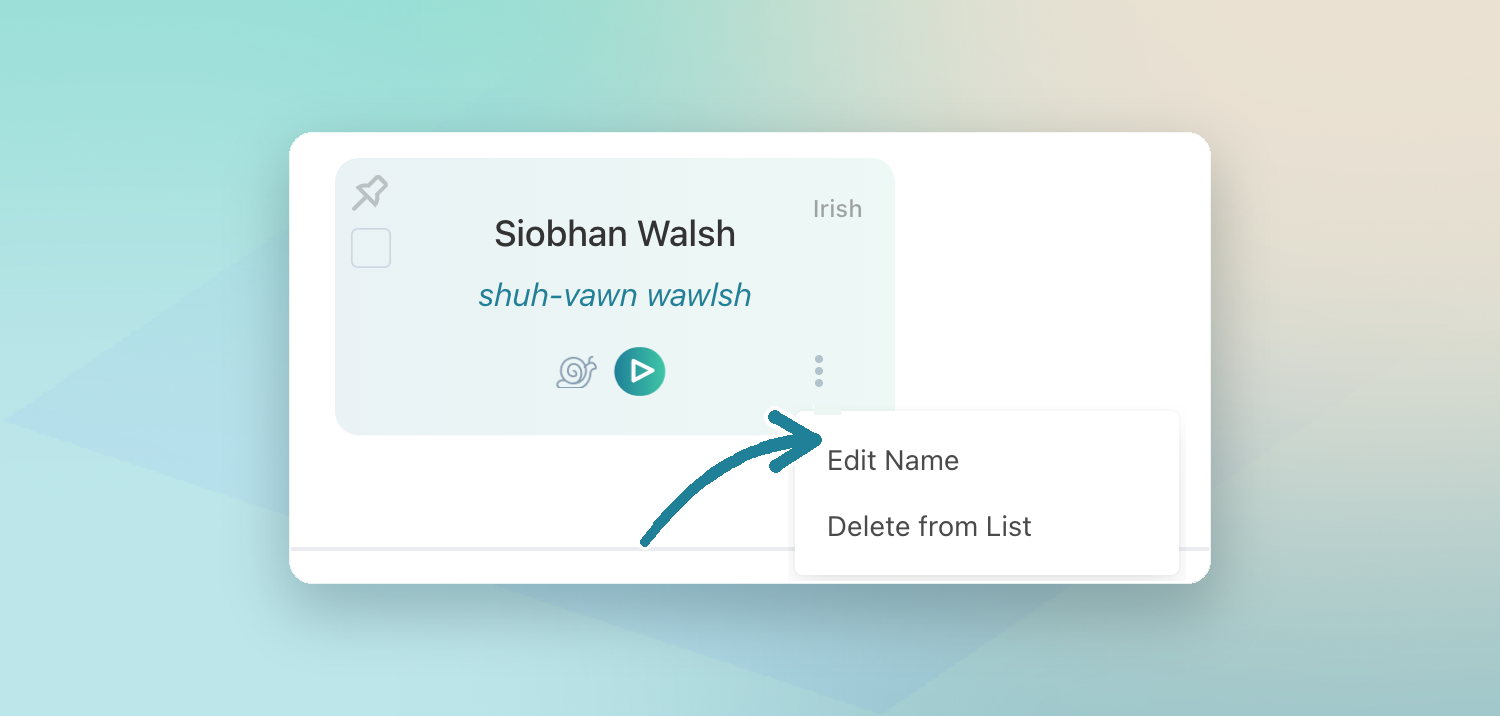
- Open the list and find the name
- Click the three-dot menu on the name card
- Click Edit Name
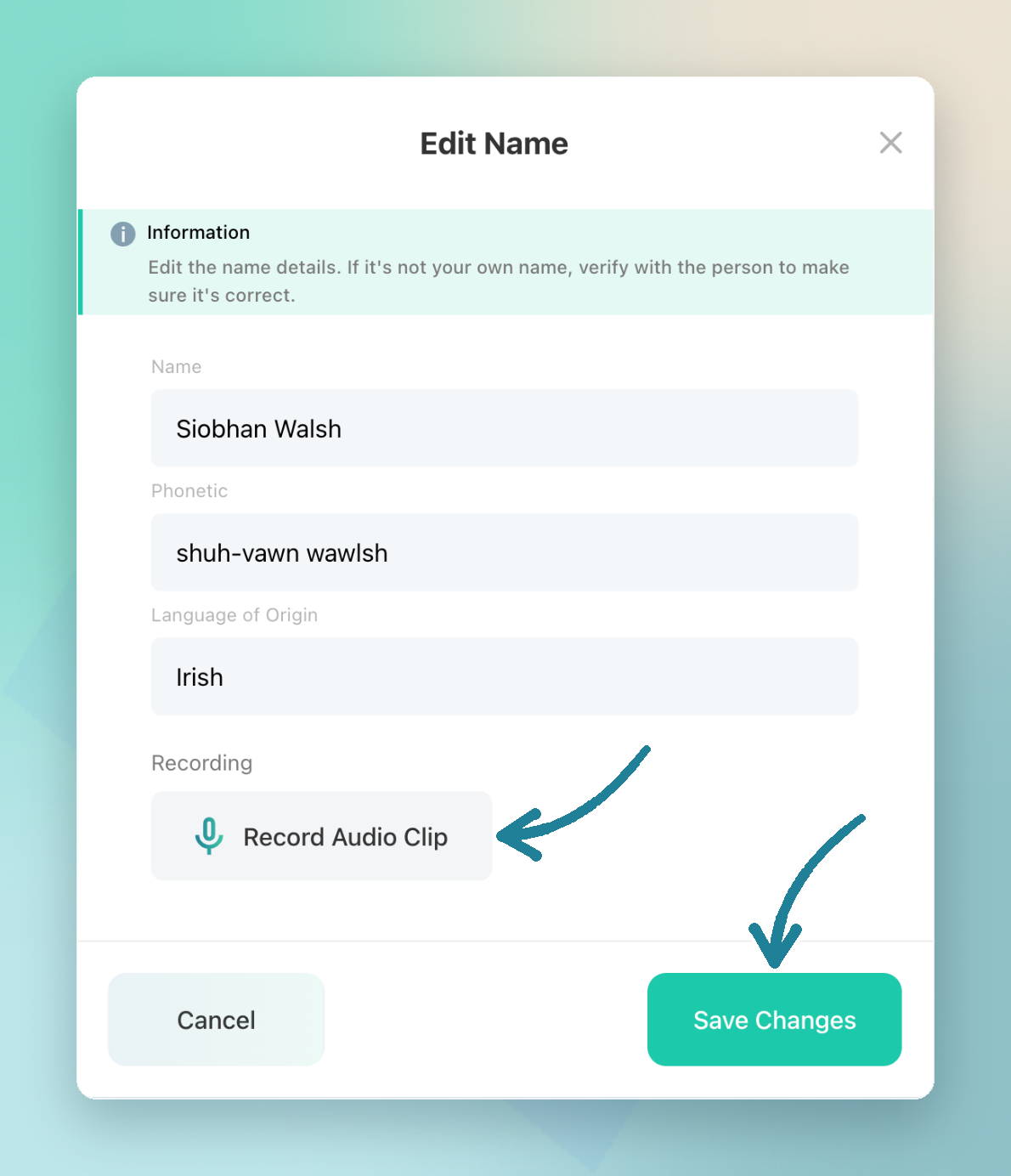
In the Edit Name window, you can update:
- Name — the spelling of the name
- Phonetic — how it sounds, like shuh-vawn wawlsh
- Language of Origin — the language the name comes from
- Recording — click Record Audio Clip to record the correct pronunciation
When everything looks right, click Save Changes.
Before You Save: Check with the Person
An Admin recording replaces the recording that was there before — and the person can’t undo it themselves. So only save a new recording once you’re sure it’s right.
- Ask the person how they say their name, and listen carefully
- Play your recording back to them before you save
- If you can, record it with them in the room, so they can tell you straight away if it’s off
Good to know: NameShouts reminds you too: “If it’s not your own name, verify with the person to make sure it’s correct.”
Recording a Name in Person
No email address for someone? If you have direct contact with them — in class, at an event, or at the front desk — you can collect their pronunciation on-site:
- Open Edit Name for their name
- Ask them to say their name, then click Record Audio Clip and record it
- Play it back, check with them, then click Save Changes
Tip: Have an email address for them? Send a verification link instead, so they can confirm or record their name in their own words. See Verify names with your team.
TL;DR
- Admins can fix a name with three-dot menu → Edit Name
- Update the spelling, phonetic, language, and record the correct pronunciation
- Admin recordings override the old one and can’t be undone by the person
- Always check with the person first — record in person if they don’t have email